
Recipes · Pantry · Groceries
Dinner,
sorted.
Your family recipes, what's in the pantry and the grocery list, together in one app your whole household shares.



On your computer? Scan this with your phone's camera to get the app.
Try it
Snap the card. Get the recipe.
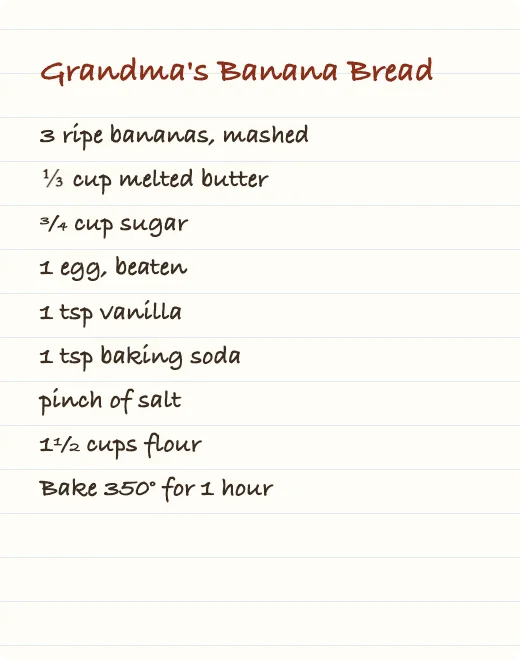
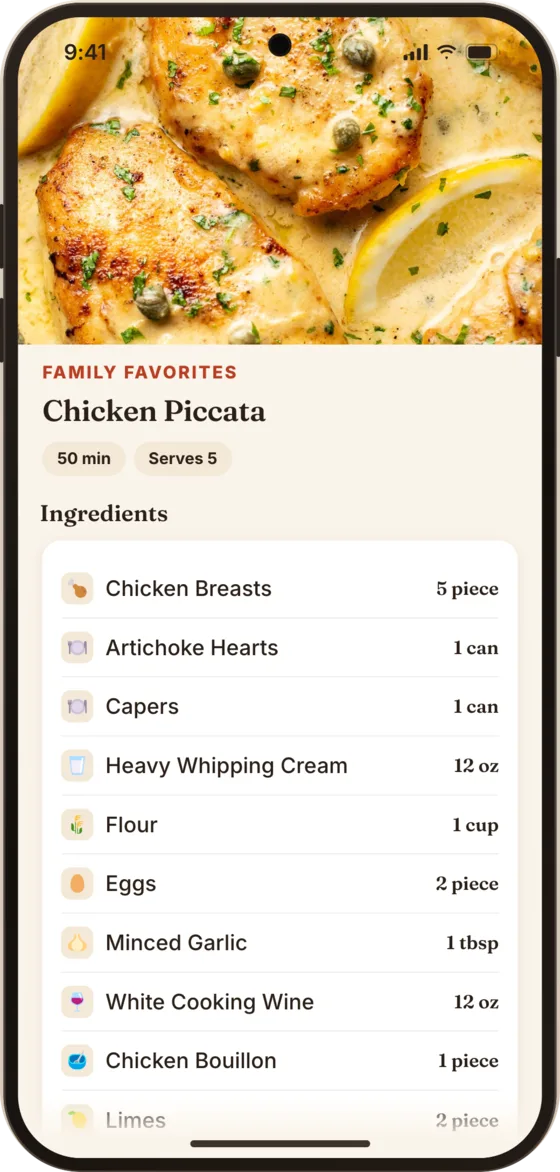
Take a photo of a recipe card, a cookbook page or a screenshot. Recibe reads it and fills in the recipe for you to check before saving.
Try it
Shop once. The pantry fills itself.
Your list sorts itself by aisle, so you walk the store once. Tick things off as you go, and when you finish, what you bought moves into the pantry.
Everything else in the kitchen
-

Color-coded recipe books
"Weeknight Dinners", "Grandma's Favorites" — keep recipes the way your family thinks about them.
-

Dietary tags
Gluten free, dairy free, vegan, vegetarian, keto, paleo, low carb and high protein.
-

A plan for the week
Breakfast, lunch and dinner, from your books or a quick note like "Leftovers".
-

Notes and photos on every recipe
Substitutions, oven quirks, the photo that makes it look worth making.
-

Works offline
No signal at the back of the store? Keep going; changes sync when you're back online.
-

Easy to read
Light and dark mode, large text and screen reader support throughout.
-

Sign in your way
Email, Google or Apple. Everyone in the household uses their own account.
Questions
Does everyone in my household need an account?
Yes. Each person signs in with email, Google or Apple, then joins your household with its invite code. You choose which books, and whether the pantry, list and plan, are shared.
What can the scanner read?
Photos of recipe cards, cookbook pages and screenshots — handwritten or printed, one page or several. Recibe fills in the recipe and you check it before anything is saved.
Does it work without a signal?
Yes. Recibe keeps working offline and syncs your changes when you're back online. Scanning a recipe needs a connection.
Which phones does it run on?
iPhone and Android phones. Get it from the App Store or Google Play.
Where is my data, and can I delete it?
Your recipes and lists are stored on our servers so they sync between phones. You can delete your account and its data from Profile at any time. The privacy policy has the details.
Get Recibe on your phone
Bring the recipe box, the pantry and the list into one place.
Scan with your phone's camera.